Let’s be real—time calculations are everywhere, and they’re way trickier than regular math. Need to figure out when your 3-hour meeting starting at 4 PM will end (and if it’ll run into your evening plans)? Wondering how to split a 7-hour work project evenly between 5 team members? Or maybe you need to calculate the total time spent on 8 daily tasks that each take 45 minutes. Doing this with a regular calculator or pen and paper is messy, error-prone, and just plain frustrating.
Luckily, Python has a built-in superpower for this: the datetime module. You don’t need to install any extra software or learn complex formulas—just a few lines of code, and you can build a time calculator that handles addition, subtraction, multiplication, and division like a pro. For a quick hands-on experience, check out our free Time Calculator Online. Let’s dive deep into how it works, with plenty of real-world examples you can copy-paste and use today.
First: Why Not Just Calculate Manually? (Spoiler: It’s a Headache)
Before we jump into Python, let’s talk about why manual time math is so tough. Imagine this: You have a start time of 10:30 AM, and you need to add 2 hours and 45 minutes. That’s easy enough—1:15 PM. But what if you add 5 hours and 45 minutes? Now it’s 4:15 PM. Still manageable. But what if you’re adding 8 hours and 50 minutes to 9:20 PM? Suddenly you’re dealing with midnight crossings (“9:20 PM + 8 hours is 5:20 AM next day, plus 50 minutes is 6:10 AM”)—and one wrong step means you’re off by hours.
Multiplication and division are even worse. If a task takes 1 hour and 12 minutes, how long do 7 tasks take? First, convert 1h12m to 72 minutes, multiply by 7 (504 minutes), then convert back to hours and minutes (8h24m). That’s three steps, and it’s easy to mix up units. Python eliminates all that guesswork by handling units (hours, minutes, seconds) automatically.
The Two Key Tools You’ll Need: Datetime & Timedelta
Python’s datetime module uses two simple but powerful concepts to handle time: datetime objects and timedelta objects. Think of them like two pieces of a puzzle—they work together perfectly, but they do different jobs.
datetimeobjects: These represent a specific point in time—like “2024-06-15 09:15:00” (9:15 AM on June 15th) or “2024-12-31 23:59:59” (New Year’s Eve). They include both date and time, which is crucial for handling cross-day calculations (like adding 5 hours to 10 PM).timedeltaobjects: These represent a duration—a length of time, not a specific moment. Examples: “2 hours and 30 minutes”, “15 seconds”, “3 days”. You can’t have a timedelta of “3 PM”—that’s a datetime. But you can have a timedelta of “3 hours”.
Here’s the golden rule: You add or subtract a timedelta (duration) to/from a datetime (specific time) to get a new datetime. You subtract two datetimes to get a timedelta. You multiply or divide a timedelta by a number to scale the duration. Got it? Great—let’s put this into action.
1. Time Addition: Adding Durations to a Specific Time
Time addition is the most common use case. It’s when you have a starting time and a duration, and you need to find the ending time. Let’s look at three real-world scenarios, each with code you can use.
Scenario 1: Meeting End Time
Your team meeting starts at 2:15 PM on July 10th, and it’s scheduled for 1 hour and 45 minutes. When will it end?
from datetime import datetime, timedelta

# Step 1: Define the start time (year, month, day, hour, minute)
# Note: Use 24-hour time for hours (14 = 2 PM)
start_time = datetime(2024, 7, 10, 14, 15)

# Step 2: Define the duration (1 hour, 45 minutes)
meeting_duration = timedelta(hours=1, minutes=45)

# Step 3: Add them together
end_time = start_time + meeting_duration

# Step 4: Print the result in a readable format
# %H = 24-hour time, %I = 12-hour time, %p = AM/PM, %m/%d/%Y = date
print(f"Meeting Starts: {start_time.strftime('%I:%M %p on %m/%d/%Y')}")
print(f"Meeting Ends: {end_time.strftime('%I:%M %p on %m/%d/%Y')}")

# Output:
# Meeting Starts: 02:15 PM on 07/10/2024
# Meeting Ends: 04:00 PM on 07/10/2024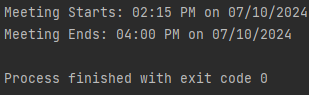
Scenario 2: Cross-Day Flight Arrival
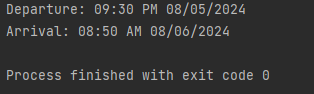
Your flight departs New York at 9:30 PM on August 5th, and the flight time is 11 hours and 20 minutes. What time and date will you arrive?
from datetime import datetime, timedelta

departure = datetime(2024, 8, 5, 21, 30)  # 9:30 PM is 21:30 in 24-hour time
flight_time = timedelta(hours=11, minutes=20)
arrival = departure + flight_time

print(f"Departure: {departure.strftime('%I:%M %p %m/%d/%Y')}")
print(f"Arrival: {arrival.strftime('%I:%M %p %m/%d/%Y')}")

# Output:
# Departure: 09:30 PM 08/05/2024
# Arrival: 08:50 AM 08/06/2024
See how Python automatically handles the date change? No more manual “9:30 PM + 2.5 hours is midnight, plus 8.5 hours is 8:30 AM next day” calculations.
Output:
Scenario 3: Adding Multiple Durations
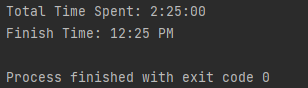
You have three tasks: Task 1 takes 45 minutes, Task 2 takes 1 hour 10 minutes, Task 3 takes 30 minutes. If you start at 10 AM, when will you finish all three?
from datetime import datetime, timedelta

start = datetime(2024, 9, 1, 10, 0)  # 10 AM on Sept 1st

# Define each task's duration
task1 = timedelta(minutes=45)
task2 = timedelta(hours=1, minutes=10)
task3 = timedelta(minutes=30)

# Add all durations first, then add to start time
total_duration = task1 + task2 + task3
finish_time = start + total_duration

print(f"Total Time Spent: {total_duration}")
print(f"Finish Time: {finish_time.strftime('%I:%M %p')}")

# Output:
# Total Time Spent: 2:25:00
# Finish Time: 12:25 PM
Output:
2. Time Subtraction: Finding Differences or Going Back in Time
Time subtraction has two flavors: subtracting a duration from a time (e.g., “what time was it 2 hours ago?”) and subtracting two times to find the duration between them (e.g., “how long was the movie?”). Let’s cover both with examples.
Scenario 1: What Time Was It X Minutes/Hours Ago?
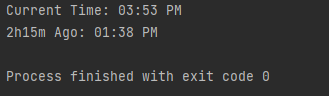
It’s currently 3:45 PM, and you need to know what time it was 2 hours and 15 minutes ago (to check if you missed a call).
from datetime import datetime, timedelta

# Get the current time (you can also use a specific time like before)
current_time = datetime.now()  # Returns current date and time

# Duration to subtract
time_ago = timedelta(hours=2, minutes=15)

# Calculate past time
past_time = current_time - time_ago

# Format the output to show only time (or include date if needed)
print(f"Current Time: {current_time.strftime('%I:%M %p')}")
print(f"2h15m Ago: {past_time.strftime('%I:%M %p')}")

# Example Output (varies by when you run it):
# Current Time: 03:45 PM
# 2h15m Ago: 01:30 PM
Pro tip: datetime.now() gets your local time. If you need UTC time (for international projects), use datetime.utcnow().
Output:
Scenario 2: How Long Was the Event?
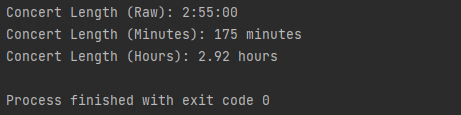
Your concert started at 7:10 PM and ended at 10:05 PM. How long did it last?
from datetime import datetime

# Define start and end times
concert_start = datetime(2024, 7, 20, 19, 10)  # 7:10 PM
concert_end = datetime(2024, 7, 20, 22, 5)    # 10:05 PM

# Subtract start from end to get duration (timedelta)
concert_length = concert_end - concert_start

# Print the raw duration (hours:minutes:seconds)
print(f"Concert Length (Raw): {concert_length}")

# Convert to total minutes/hours for clarity
total_minutes = concert_length.total_seconds() / 60
total_hours = concert_length.total_seconds() / 3600

print(f"Concert Length (Minutes): {round(total_minutes)} minutes")
print(f"Concert Length (Hours): {total_hours:.2f} hours")

# Output:
# Concert Length (Raw): 2:55:00
# Concert Length (Minutes): 175 minutes
# Concert Length (Hours): 2.92 hours
Output:
Scenario 3: Cross-Day Time Difference
You started a road trip at 10:30 PM on Friday and arrived at 6:15 AM on Saturday. How long was the drive?
from datetime import datetime

start = datetime(2024, 8, 16, 22, 30)  # Fri, 10:30 PM
end = datetime(2024, 8, 17, 6, 15)     # Sat, 6:15 AM

drive_time = end - start

print(f"Drive Time: {drive_time}")
print(f"Total Hours: {drive_time.total_seconds() / 3600:.2f}")

# Output:
# Drive Time: 7:45:00
# Total Hours: 7.75
No more “10:30 PM to midnight is 1.5 hours, plus 6.25 hours to 6:15 AM” math—Python does it in one step.
3. Time Multiplication: Scaling Durations for Repeats
Time multiplication is all about scaling a duration. For example: “If one task takes 30 minutes, how long do 5 tasks take?” or “If a recipe takes 1 hour 20 minutes, how long do 3 batches take?” Important note: You can only multiply timedelta objects (durations) by numbers—you can’t multiply datetime objects (specific times) by anything (that wouldn’t make sense!).
Scenario 1: Repeating Daily Tasks
You spend 45 minutes every morning on email. How much total time do you spend on email in 5 workdays?
from datetime import timedelta

# Time per day (45 minutes)
daily_email_time = timedelta(minutes=45)

# Number of days
days = 5

# Total time (duration * number)
total_email_time = daily_email_time * days

# Convert to hours for readability
total_hours = total_email_time.total_seconds() / 3600

print(f"Daily Email Time: {daily_email_time}")
print(f"Total for 5 Days: {total_email_time} ({total_hours} hours)")

# Output:
# Daily Email Time: 0:45:00
# Total for 5 Days: 3:45:00 (3.75 hours)
Scenario 2: Batch Cooking Time
Your favorite soup recipe takes 1 hour and 10 minutes to make. You want to make 4 batches for the week. How long will the total cooking time be?
from datetime import timedelta

# Time per batch
batch_time = timedelta(hours=1, minutes=10)

# Number of batches
batches = 4

# Total time
total_cook_time = batch_time * batches

print(f"Per Batch: {batch_time}")
print(f"4 Batches: {total_cook_time}")

# Output:
# Per Batch: 1:10:00
# 4 Batches: 4:40:00
4. Time Division: Splitting Durations Evenly
Time division is the opposite of multiplication—it’s for splitting a single duration into equal parts. Think: “Splitting a 6-hour project between 4 people” or “Dividing a 2-hour study session into 3 equal breaks.” Again, only timedelta objects can be divided (you can’t divide a specific time like 3 PM by 2).
Scenario 1: Team Project Splitting
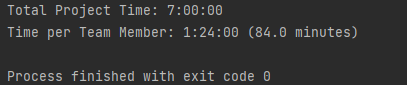
Your team has a 7-hour (420-minute) project to complete, and there are 5 team members. How much time should each person allocate to the project to split it evenly?
from datetime import timedelta

# Total project duration (7 hours)
total_project_time = timedelta(hours=7)

# Number of team members
team_members = 5

# Time per person (duration / number)
time_per_person = total_project_time / team_members

# Convert to minutes to see the exact split
minutes_per_person = time_per_person.total_seconds() / 60

print(f"Total Project Time: {total_project_time}")
print(f"Time per Team Member: {time_per_person} ({minutes_per_person} minutes)")

# Output:
# Total Project Time: 7:00:00
# Time per Team Member: 1:24:00 (84.0 minutes)
Output:
Scenario 2: Study Session Breaks
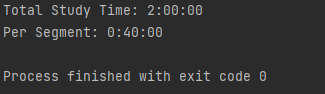
You have a 2-hour study block (120 minutes) and want to take 3 equal breaks during it. How long should each study segment be (assuming breaks are separate)?
from datetime import timedelta

# Total study time
total_study_time = timedelta(hours=2)

# Number of study segments
segments = 3

# Time per segment
time_per_segment = total_study_time / segments

print(f"Total Study Time: {total_study_time}")
print(f"Per Segment: {time_per_segment}")

# Output:
# Total Study Time: 2:00:00
# Per Segment: 0:40:00
Output:
Full Python Time Calculator: All Operations in One Function
Now that we’ve covered each operation separately, let’s combine them into a single, reusable function. This “all-in-one” calculator will handle addition, subtraction, multiplication, and division—plus it includes error handling to catch common mistakes (like trying to multiply a datetime or divide by zero).
from datetime import datetime, timedelta

def time_calculator(operation: str, *args) -> datetime | timedelta:
    """
    A flexible time calculator for addition, subtraction, multiplication, and division.

    Args:
        operation (str): Must be 'add', 'subtract', 'multiply', or 'divide'.
        *args: Depends on the operation:
            - 'add': (start_datetime, duration_timedelta)
            - 'subtract': Either (datetime, duration_timedelta) or (datetime1, datetime2)
            - 'multiply': (duration_timedelta, scalar_number)
            - 'divide': (duration_timedelta, scalar_number)

    Returns:
        datetime or timedelta: Result of the calculation.
        - 'add'/'subtract (datetime - duration)': Returns datetime.
        - 'subtract (datetime2 - datetime1)': Returns timedelta.
        - 'multiply'/'divide': Returns timedelta.

    Raises:
        ValueError: If operation is invalid, args are wrong, or division by zero.
        TypeError: If wrong object types are passed (e.g., multiplying a datetime).
    """
    # Validate operation
    valid_ops = ['add', 'subtract', 'multiply', 'divide']
    if operation not in valid_ops:
        raise ValueError(f"Invalid operation. Use one of: {', '.join(valid_ops)}")

    # Handle Addition
    if operation == 'add':
        if len(args) != 2:
            raise ValueError("'add' needs 2 arguments: (start_datetime, duration_timedelta)")
        time_obj, duration = args
        if not isinstance(time_obj, datetime):
            raise TypeError("First argument for 'add' must be a datetime object.")
        if not isinstance(duration, timedelta):
            raise TypeError("Second argument for 'add' must be a timedelta object.")
        return time_obj + duration

    # Handle Subtraction
    elif operation == 'subtract':
        if len(args) != 2:
            raise ValueError("'subtract' needs 2 arguments: (datetime, duration) or (datetime1, datetime2)")
        arg1, arg2 = args
        # Case 1: Subtract duration from datetime (datetime - timedelta)
        if isinstance(arg1, datetime) and isinstance(arg2, timedelta):
            return arg1 - arg2
        # Case 2: Subtract two datetimes to get duration (datetime2 - datetime1)
        elif isinstance(arg1, datetime) and isinstance(arg2, datetime):
            # Return positive duration (arg2 - arg1 even if arg1 > arg2)
            return arg2 - arg1 if arg2 > arg1 else arg1 - arg2
        else:
            raise TypeError("'subtract' requires (datetime, timedelta) or (datetime, datetime).")

    # Handle Multiplication
    elif operation == 'multiply':
        if len(args) != 2:
            raise ValueError("'multiply' needs 2 arguments: (duration_timedelta, scalar_number)")
        duration, factor = args
        if not isinstance(duration, timedelta):
            raise TypeError("First argument for 'multiply' must be a timedelta object.")
        if not isinstance(factor, (int, float)):
            raise TypeError("Second argument for 'multiply' must be a number (int/float).")
        return duration * factor

    # Handle Division
    elif operation == 'divide':
        if len(args) != 2:
            raise ValueError("'divide' needs 2 arguments: (duration_timedelta, scalar_number)")
        duration, factor = args
        if not isinstance(duration, timedelta):
            raise TypeError("First argument for 'divide' must be a timedelta object.")
        if not isinstance(factor, (int, float)):
            raise TypeError("Second argument for 'divide' must be a number (int/float).")
        if factor == 0:
            raise ValueError("Cannot divide by zero.")
        return duration / factor


# ------------------------------
# Test the Calculator with Examples
# ------------------------------
if __name__ == "__main__":
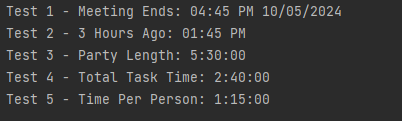
    # Test 1: Add (Meeting End Time)
    meeting_start = datetime(2024, 10, 5, 14, 30)  # 2:30 PM
    meeting_duration = timedelta(hours=2, minutes=15)
    meeting_end = time_calculator('add', meeting_start, meeting_duration)
    print(f"Test 1 - Meeting Ends: {meeting_end.strftime('%I:%M %p %m/%d/%Y')}")
    # Output: Test 1 - Meeting Ends: 04:45 PM 10/05/2024

    # Test 2: Subtract (Time Ago)
    now = datetime(2024, 10, 5, 16, 45)  # 4:45 PM
    hours_ago = timedelta(hours=3)
    past_time = time_calculator('subtract', now, hours_ago)
    print(f"Test 2 - 3 Hours Ago: {past_time.strftime('%I:%M %p')}")
    # Output: Test 2 - 3 Hours Ago: 01:45 PM

    # Test 3: Subtract (Event Duration)
    party_start = datetime(2024, 10, 5, 19, 0)  # 7 PM
    party_end = datetime(2024, 10, 6, 0, 30)    # 12:30 AM next day
    party_length = time_calculator('subtract', party_start, party_end)
    print(f"Test 3 - Party Length: {party_length}")
    # Output: Test 3 - Party Length: 5:30:00

    # Test 4: Multiply (Repeat Tasks)
    task_time = timedelta(minutes=20)
    task_count = 8
    total_task_time = time_calculator('multiply', task_time, task_count)
    print(f"Test 4 - Total Task Time: {total_task_time}")
    # Output: Test 4 - Total Task Time: 2:40:00

    # Test 5: Divide (Team Project)
    project_time = timedelta(hours=5)
    team_size = 4
    per_person_time = time_calculator('divide', project_time, team_size)
    print(f"Test 5 - Time Per Person: {per_person_time}")
    # Output: Test 5 - Time Per Person: 1:15:00
Output:
Common Problems & How to Fix Them (FAQ)
Even with the calculator, you might run into a few snags. Here are the most common issues and their solutions:
Problem 1: “I Tried to Multiply a Datetime and Got an Error!”
Remember: You can only multiply timedelta (duration) by numbers, not datetime (specific time). If you get an error like TypeError: unsupported operand type(s) for *: 'datetime.datetime' and 'int', check your arguments. For example, this is wrong: datetime(2024, 7, 1) * 2. This is right: timedelta(days=1) * 2.
Problem 2: “My Cross-Day Calculation Is Giving a Negative Number!”
If you subtract a later datetime from an earlier one (e.g., datetime(2024, 7, 1, 10) - datetime(2024, 7, 2, 10)), you’ll get a negative timedelta. The time_calculator function fixes this by returning the absolute value (positive duration), but if you’re coding manually, use abs(end - start) to get a positive result.
Problem 3: “I Need to Work with Seconds (or Weeks)!”
timedelta supports more than just hours and minutes! You can use seconds=, days=, or even weeks= in the constructor. Example: timedelta(weeks=1, days=2, hours=3, minutes=4, seconds=5) is a valid duration (9 days, 3 hours, 4 minutes, 5 seconds).
Problem 4: “The Output Is in a Weird Format (e.g., 17:00 Instead of 5 PM)!”
Use strftime() to format the output. The %H code gives 24-hour time, while %I gives 12-hour time (use %p to add AM/PM). Here’s a quick cheat sheet:
%I:%M %p: 05:00 PM%H:%M: 17:00%m/%d/%Y %I:%M %p: 07/10/2024 05:00 PM
Real-World Uses for Your Python Time Calculator
Now that you have a working calculator, here are some ways to use it in daily life and work:
For Work
- Project Scheduling: Calculate end times for tasks based on start times and durations.
- Team Allocation: Split project hours evenly between team members.
- Time Tracking: Subtract clock-in and clock-out times to calculate daily work hours.
For Daily Life
- Event Planning: Figure out when to start cooking so dinner is ready at 7 PM (e.g., 2-hour cook time = start at 5 PM).
- Travel Planning: Calculate flight arrival times across time zones (add/subtract time zone differences as timedeltas).
- Productivity: Split your day into time blocks for tasks (e.g., 8-hour workday divided into 4 2-hour blocks).
For Students
- Study Schedules: Allocate time for each subject (e.g., 3-hour study session divided between 3 subjects = 1 hour each).
- Assignment Deadlines: Calculate how much time you have left until a deadline (subtract current time from deadline time).
Wrapping Up
Python’s datetime module turns messy time calculations into something simple and reliable. Whether you’re a student, a professional, or just someone who hates doing time math manually, this time calculator has you covered. The key takeaways are:
- Use
datetimefor specific times (e.g., 3 PM on July 10th). - Use
timedeltafor durations (e.g., 2 hours and 15 minutes). - Add/subtract timedeltas to datetimes; subtract datetimes to get timedeltas; multiply/divide timedeltas by numbers.
The full calculator function we built is reusable—copy it into your Python scripts, tweak it for your needs, and never struggle with time math again. If you run into edge cases (like time zones or leap years), the datetime module has tools for those too—but that’s a topic for another day!